Roadworthy Student · free for pupils
Your pupils get their own app.
When they're next in, where you're picking them up, what you covered last time, how far through the syllabus they are and what they still owe — in their pocket, without a single text to you.
Free on the App Store. No account, no password — pair with the code your instructor gives you. Android is on the way.
For learners
"What did we do last time?" — answered.
Your instructor already keeps your lessons, progress and payments in Roadworthy. This is your side of it.
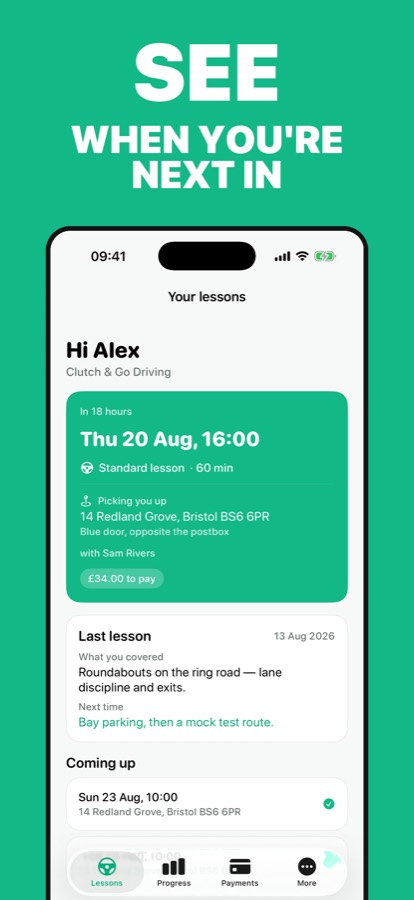
Your next lesson
When it is, how long it's for, and exactly where you're being picked up. If it moves, the app updates.
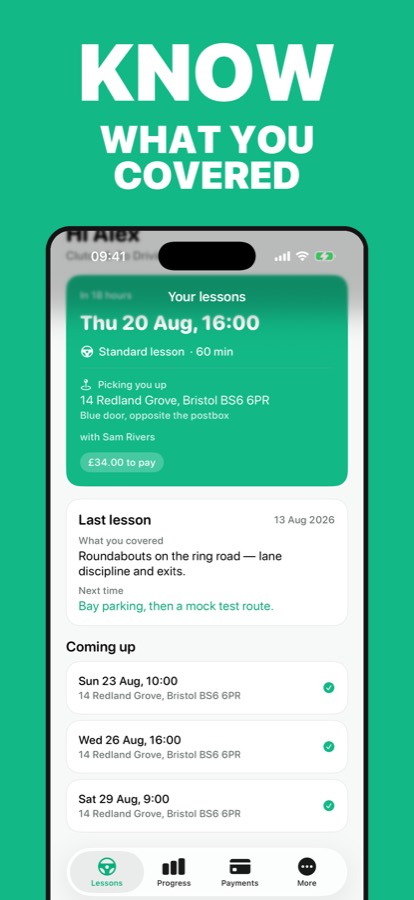
What you covered
After each lesson your instructor writes up what you did and what you're working on next. It's here.
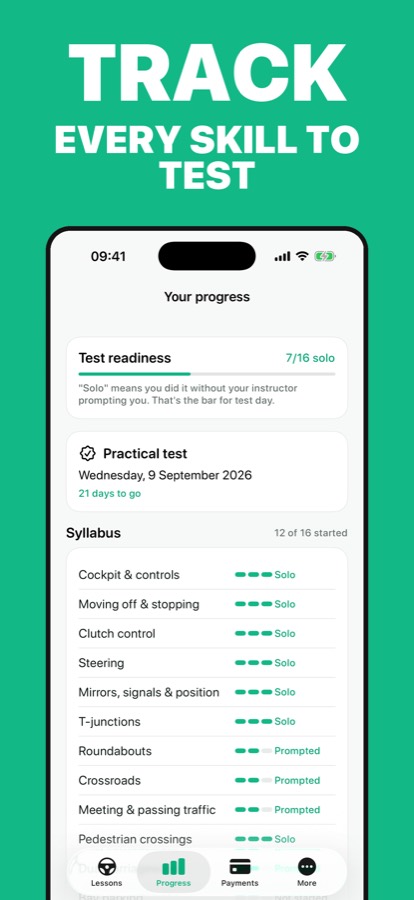
How you're doing
The whole DVSA syllabus, skill by skill — where you're prompted and where you're already driving it on your own.
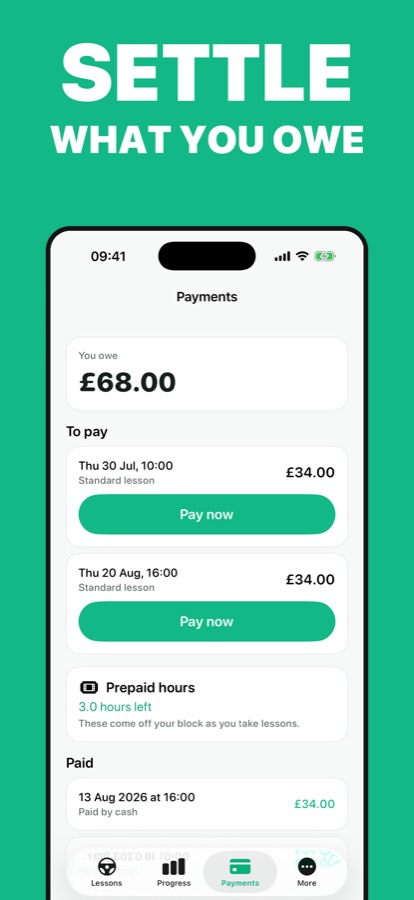
What you owe
Every lesson, what's paid and what's outstanding. Settle up by card in the app where your instructor takes payments.
Plus a reminder an hour before each lesson, so you're outside when the car pulls up. You only ever see your own lessons — never another pupil, and never your instructor's diary or earnings.
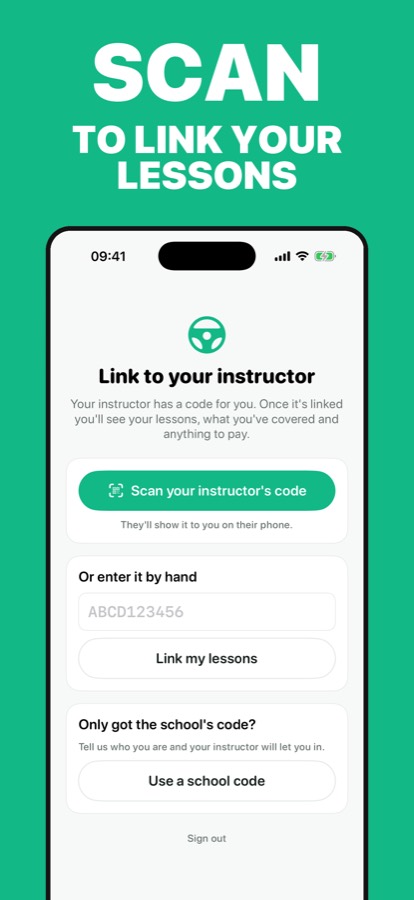
Getting set up
Scan a code. That's it.
-
1
Get the app
Download Roadworthy Student from the App Store. It's free, and there is nothing to buy inside it.
-
2
Scan your instructor's code
Your instructor shows you a QR code in their app, or sends you a link. Scan it, or type the code in once.
-
3
You're linked
No account to create, no password to remember. The code your instructor gives you is all you need.
Already have a code? Enter it here →
For instructors
Nothing to set up. It turns on the day you start.
You already finish a lesson and say a sentence about how it went. Your pupil sees it — along with when they're next in, where you're picking them up, how far through the syllabus they are and what they still owe. The "when am I next in?" and "what do I owe you?" texts stop arriving.
Show a pupil the QR code on their profile and they're paired. They never get an account on your system, they can't see any other pupil, and nothing they do changes your records. You write; they read.
Included with every Roadworthy subscription. Free for your pupils, however many you have.
Fewer texts
Lesson time, pickup spot, what to practise and the balance owed are all answered before they're asked.
Progress they can see
The DVSA grid you mark in-lesson is the one they see — so "am I ready?" is a conversation about evidence.
Paid before the kerb
Where you take card payments, pupils settle outstanding lessons in the app. Money lands in your own Stripe account.
Fewer no-shows
A reminder an hour before every lesson, sent by the app, not by you.
Frequently asked questions
Is Roadworthy Student free?
Yes. It is free to download and there is nothing to buy inside it. It is included with every instructor's Roadworthy subscription, for as many pupils as they teach.
Do I need an account?
No. Your instructor shows you a QR code or sends you a link. Scan it or type the code in once and you are linked — no email, no password, nothing to sign up for.
What can my instructor see about me?
Nothing new — your instructor already keeps your lesson records in Roadworthy. The app shows you those records. Nothing you do in the app changes them, and your instructor writes everything.
Can I see other pupils, or my instructor's diary?
No. You only ever see your own lessons. You cannot see any other pupil, your instructor's diary, their earnings or their other work.
Can I pay for lessons in the app?
Where your instructor takes card payments through Roadworthy, yes — outstanding lessons can be settled by card in the app and the money goes straight to your instructor. Where they don't, you just see the balance.
My instructor doesn't use Roadworthy. Can I still use it?
Not yet — Roadworthy Student only works when your instructor uses Roadworthy. Ask them about it, or point them at rwapp.co.
Is there an Android version?
Android is on the way. In the meantime the same information is available on the web: your instructor can send you a link to your lessons, or you can sign in at rwapp.co/portal with the email your instructor has on file.
Got a code from your instructor?
Download Roadworthy Student, scan it, and your lessons are in your pocket.
Download on the App StoreInstructor? Roadworthy is on the App Store too →